Write a Review
Our Products
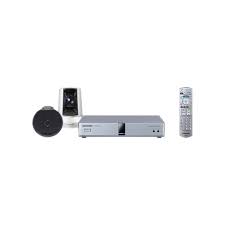
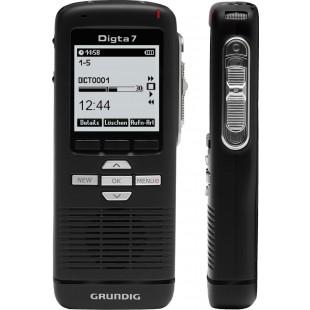
We offer a complete product range of Professional Displays Screen, Mobile Devices, HD Visual Communication Unit and Digital Dictation Devices
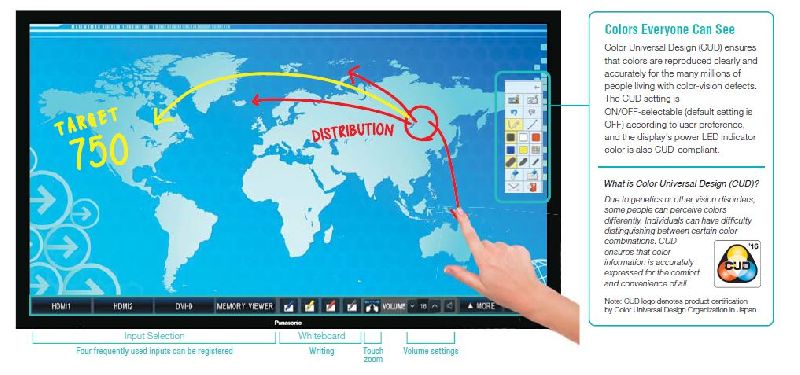
Good communication is key in the office or classroom. The Panasonic BF1 Series puts the tools you need to achieve it at your fingertips. Start presenting instantly on the whiteboard, import and modify media wirelessly, brainstorm ideas with teams in remote locations, and email progress direct from the display. Do it all from an intuitive touchscreen with fewer cables and no need for a remote. The BF1 Series doesnt just save time and money: its a complete end-to-end solution engineered for success at the highest level.
Switch on. Start work. Make notes, draw, add graphics, display documents, video, and more. Save as image files and email. Couldnt be simpler!
Precise 12-point multi-touch control and user-friendly menu bar make it easierfor students to understand any subject using the displays powerful features.
The BF1 Series not only lets your teams videoconference*, it allows them to work on documents together in split-screen mode at the same time.
Media such as websites, documents, and PC desktops can be mirrored wirelessly* from compatible devices on the big screen.
The BF1 Series has useful application in industry. Staff can manage production processes, scheduling, and share spreadsheet data on-screen.
Connected to appropriate PC software, the BF1 Series excels as an interactive touch-screen display for museums, exhibitions, and more.
Dont lose the crowdor your coolin endless menus while you search for content or functions. With the BF1 Series, everything is to hand in a discreet menu bar at the bottom of the screen that offers instant access to source inputs, whiteboard tools, and other controls you use most frequently. Even when the pressures on, youll look like a pro.
Colors Everyone Can SeeColor Universal Design (CUD) ensures that colors are reproduced clearly and accurately for the many millions of people living with color-vision defects. The CUD setting is ON/OFF-selectable (default setting is OFF) according to user preference, and the displays power LED indicator color is also CUD-compliant.
What is Color Universal Design (CUD)?Due to genetics or other vision disorders, some people can perceive colors differently. Individuals can have difficulty distinguishing between certain color combinations. CUD ensures that color information is accurately expressed for the comfort and convenience of all.
 Faxtel Systems (Faxtel Systems India Pvt. Ltd)
 #201/1, 8th Main Sadananada Nagar, NGEF Layout,Bangalore - 560038, Karnataka
 Share us via