Our Products
We offer a complete product range of Tipping Bucket Rain Gauge and Rain Gauge
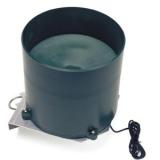
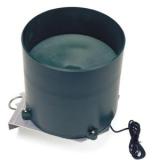
measures rainfall 1100th inch increments. Self-emptying, tipping bucket design is exceptionally accurate, freeze-resistant and reliable. Meets the guidelines of the world meteorological organization. Accuracy is +- 2%. Works with model 200, 225, 425, or 450 watchdog data loggers, stations 2525, 2550, 2600, 2700, 2800 watchdog tipping bucket rain gauge this rain collector measures rainfall in 1100th inch increments. The self-emptying, tipping bucket design is accurate and reliable. The rain gauge includes a 6 foot cable that is connected into port a on model 200, 225, 425, or 450 watchdog data loggers. Once the sensor is positioned in a presentative"micro-climate", connect the cable into port a to log rainfall data.to connect an external sensor to the logger, plug the sensor cable into the logger port that has been programmed for that particular sensor. If the sensor is not connected, the message "sensor error" will appear on the lcd display for the respective logger port until the sensor is connected.
 Auro (Auro Electronics (India) Pvt. Ltd.)
 3749 Hill Road
Ambala Cantt. 133001 India, Haryana
3749 Hill Road
Ambala Cantt. 133001 India, Haryana Share us via







 Write a Review