Our Product / Services
Our offered Product range includes e Pendrive Pre Copy Protection Software For Android -ttdsoft and e USB Pen Drive Pre Copy Protected for Windows -ttdsoft.
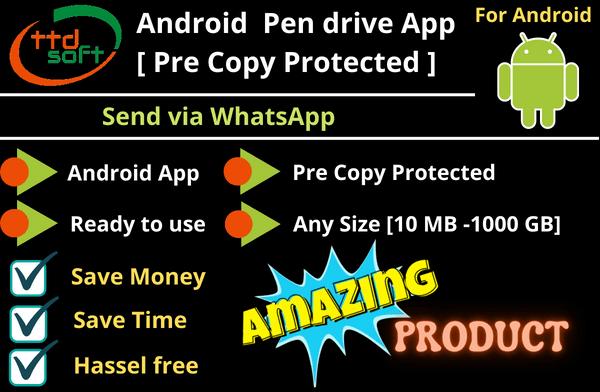
Android PendriveApp - It is a android app of size 3mb with data of any size (from 50mb to 1000 gb on our encrypted server ), when it opens in Andriod mobile TAB , works like a pen drive
Send it via WhatsApp - Android PendriveApp which comes with pre-loaded copy protection , only you have to put VIDEO AUDIO PDF files on ( our encrypted server ) and send this to User via WhatsAPP
Wonderful product - How To Use (Step 1) We will provide copy protected Android PendriveApp ( with space 50mb to 1000Gb on our encrypted server ) (Step 2) Copy your VIDEO AUDIO PDF file on our encrypted server (Step 3) Send this Android pendriveAPP to user via WhatsAPP (Step 4) User will download encrypted VIDEO AUDIO PDF file via Android pendriveAPP from our encrypted server in his/her Andriod mobile TAB SDcard OTG pendrive and start using it
Android PendriveApp Binding - Android PendriveApp will be binded ( locked ) with your user Android PendriveApp only , so only your user can use this Android PendriveApp not others
Media Support - Andriod Mobile TAB - internal memory
Licenses - Type 1 (online with encrypted server ) for Andriod Mobile TAB - internal memory
Licenses charges : Type 1 (online with our encrypted server) - Yearly subscription Rs 7500 free -75 licenses with 50 GB data storage on encryted server after uses of free licenses more license & more data storage (if needed) can be purcharged - click here
OS support - Android version 6.0 and later
Device Support -Android mobile TAB
Buy liences - When you buy no of licences we provide you activation keys for these licences via your email
Easy & Simple to use - Any Non-tech person can use this Android PendriveApp
Files format support - Any audio Any video Any PDF file Exmple - MPEG , MP4 , MP3 , AVI , PDF, etc.
Paid Customization - Your logo & company name can put inAndroid PendriveApp Other cutomizations can done as Per your requirements in Android PendriveApp
Sale & After Sale Help - Whatsapp# +91 9810996076 to us
Additional Information:
Payment Terms :
Packaging Details : Online activation
Delivery Time : 4 hrs
Data Sheet
| Details | Android PendriveApp - It is a android app of size 3mb with data of any size (from 50mb to 1000 gb | on our encrypted server ), when it opens in Andriod mobile | TAB , works like a pen drive Send it via WhatsApp - Android PendriveApp which comes with pre-loaded copy protection , only you have to put VIDEO | AUDIO | PDF files on ( our encrypted server ) and send this to User via WhatsAPP Wonderful product - How To Use || (Step 1) We will provide copy protected Android PendriveApp ( with space 50mb to 1000Gb on our encrypted server ) || (Step 2) Copy your VIDEO | AUDIO | PDF file on our encrypted server || (Step 3) Send this Android pendriveAPP to user via WhatsAPP || (Step 4) User will download encrypted VIDEO | AUDIO | PDF file via Android pendriveAPP from our encrypted server in his/her Andriod mobile | TAB | SDcard | OTG pendrive and start using it Android PendriveApp Binding - Android PendriveApp will be binded ( locked ) with your user Android PendriveApp only , so only your user can use this Android PendriveApp not others Media Support - Andriod Mobile | TAB - internal memory Licenses - || Type 1 (online with encrypted server ) for Andriod Mobile | TAB - internal memory Licenses charges : Type 1 (online with our encrypted server) - Yearly subscription Rs 7500 | free -75 licenses with 50 GB data storage on encryted server | after uses of free licenses more license & more data storage (if needed) can be purcharged - click here OS support - Android version 6.0 and later Device Support -Android mobile | TAB Buy liences - When you buy no of licences we provide you activation keys for these licences via your email Easy & Simple to use - Any Non-tech person can use this Android PendriveApp Files format support - Any audio | Any video | Any PDF file | Exmple - MPEG ,MP4 , MP3 , AVI ,PDF, etc. Paid Customization - Your logo & company name can put inAndroid PendriveApp | Other cutomizations can done as Per your requirements in Android PendriveApp Sale & After Sale Help - Whatsapp# +91 9810996076 to us |
|---|---|
| Features | Send it via WhatsAPP-ttdsoft Android PendriveApp can easly send it to user via WhatsAPP User will download from any location and start using it in his/her Andriod mobile | TAB. Any Size ( 50 MB - 1000GB )-ttdsoft Android PendriveApp of Any size (as Per your requirement ) - from 50MB to 1000GB on our encrypted server Fully copyprotected -ttdsoft Android PendriveApp of any size is fully copyprotected . just put you data in it and send it via WhatsAPP your data is fully safe , data copying is impossible by the any user .( truly – copy protected ) Anti Capturing screen & Anti screenshot-ttdsoft Android PendriveApp comes with build in Anti Capturing screen & Anti Screenshot techniq. Screen capturing & Screenshot of your videos & PDF files with the help of any software is impossible by any user. ( truly – copy protected ) Manage - User date validation-ttdsoft Android PendriveApp has User date validation. The owner / admin of the Android PendriveApp can put User date vaildation for limited period or for Unlimited Period. date of expiry for each user can be set. ( truly – controllable ) Manage - User/device access via blacklist-ttdsoft Android PendriveApp comes with build in blacklist to stop access the user / device for accessing your videos | PDFs in this Android PendriveApp.( truly – controllable ) Full control of Data-Copying data /deleting data /adding /removing data /Data date validation , viewing control / data /hiding data....like these types of controls can be done of your data in ttdsoft Android PendriveApp. Great Benefits - Save Money | Save Time-Save money - on purchasing physcial OTG PenDrive & Sending cost via courier, Save time - on sending via courier, Instant Deilvary to your user as sending via WhatsAPP. Easy usage-The usage of this ttdsoft Android PendriveApp is very easy since no programming skill is required , it comes with the user friendly interface |
| Demo | Demo - Ask for Trial version License WhatsAPP +91 - 9810996076 ( click here for - web WhatsAPP ) Mobile : Call timing 11am - 6pm ( monday to friday) +91 - 9810996076 Demo - Buy One full version License Buy One full version License To understand how does this Android PendriveApp works & how it can be used Pay Rs 200 & get full version - PayToUs 4 |
| Android Pendrive - Online Yearly pack | First Year Charges Rs 5000 with Unlimited Video-Audio & PDF Copy Protection - encryption | for Mobile | SmartTV | TAB ( for 1 Year ) Free - 50 licenses ( for life time , if not used , can be carry forward ) | for Mobile | SmartTV | TAB buy more licenses Free - 50 GB encrypted Server Space for encrypted video - Audios & PDF Buy more encrypted Sever Space Free - Android Online Pendrive App player & Playlist [ with our company logo ] Paid - Customization Android Online Pendrive App player & Playlist - Click here Second Year & Onward yearly Charges Rs 5000 with Unlimited Video-Audio & PDF Copy Protection - encryption | for Mobile | SmartTV | TAB ( for each Year ) free - 50 licenses ( for life time , if not used , can be carry forward ) | for Mobile | SmartTV | TAB buy more licenses -Click here free - 50 GB encrypted Server Space for encrypted video & Audios buy more encrypted Sever Space -Click here free - Android Online Pendrive App player & Playlist [ with our company logo ] |
| Rs 100 | Per License 10nos+ Licenses Validity - Life Time Support - via email or WhatsApp Spl support ( if needed) -Remote Access | via AnyDesk |
| Rs 90 | Per License 25nos+ Licenses Validity - Life Time Support -via email or WhatsApp Spl support ( if needed) -Remote Access | via AnyDesk |
| Rs 80 | Per License 50nos+ Licenses Validity - Life Time Support -via email or WhatsApp Spl support ( if needed) -Remote Access | via AnyDesk |
| Rs 75 | Per License 100nos+ Licenses Validity - Life Time Support -via email or WhatsApp Spl support ( if needed) -Remote Access | via AnyDesk |
| Rs 70 | Per License 200nos+ Licenses Validity - Life Time Support - via email or WhatsApp Spl support ( if needed) -Remote Access | via AnyDesk |
| Rs 65 | Per License 500nos+ Licenses Validity - Life Time Support -via email or WhatsApp Spl support ( if needed) -Remote Access | via AnyDes |
| Rs 60 | Per License 1000nos+ Licenses Validity - Life Time Support -via email or WhatsApp Spl support ( if needed) -Remote Access | via AnyDesk |
| Rs 15,000 | Unlimited pack Unlimited Licenses Validity - 1 year Support -via email or WhatsApp Spl support ( if needed) -Remote Access | via AnyDe |
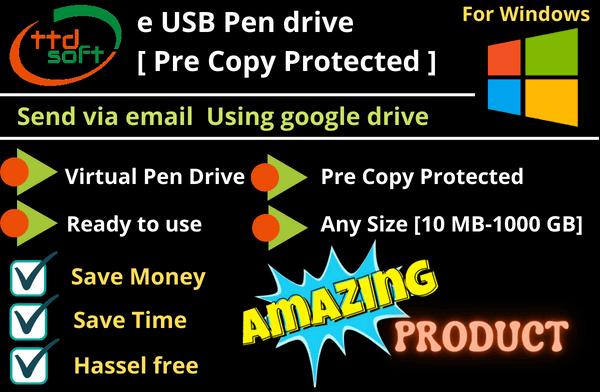
ePenDrive (Virtual Pendrive ) – It is a folder of any size (50mb to 1000 gb), when it opens in computer , works like a pendrive
Send it via email - ePenDrive which comes with pre-loaded copy protection software , only you have to put data and send this to User via email
Wonderful product - How To Use (Step 1) We will provide copy protected e Pen drive ( Any Size 50Mb to 1000Gb) (Step 2) Copy your data in copy protected e Pen drive like Videos , PDFs or other type of data (Step 3) Send this ePenDrive to user via e-mail (Step 4) User will download ePenDrive in his/her computer and start using it
Computer Binding - Copy protected e Pen drive will be binded(locked ) with your user computer only , so only your user can use this e Pen drive not others
e Pen drive =Truly, Physical pen drive - User can transfer e Pen drive from one computer to other ( pls note - at one point of time e Pen drive will work in one computer only )
Licenses - limited no of e Pen drive Per Computer License [ Pay Per e Pen drive Per Computer License ]
OS support - Windows XP 64 bit, Windows Vista 64 bit, Windows 7 64 bit, Windows 10 64 bit, Server 2003 64 bit, Server 2008 64 bit, as well as all other 32 bit Windows oPerating systems from Windows 2000 and above.
Device Support - Windows Computer Windows Laptop
Buy lienees - When you buy no of licenses we provide you activation keys for these licenses via your email
Easy & Simple to use - Any Non-tech Person can use this e Pen drive
Files format support - Any files , Any data , Any type of audio , Any type of video , Any image file , Flash file Example - MPEG , MP4 , MP3 , AVI , PDF, EXCEL , DOC , PPT, EXE etc.
Paid Customization - Your logo & company name can put in software Other customizations can done as Per your requirements
Sale & After Sale Help - Whatsapp# +91 9810996076 to us
Data Sheet
| Details | ePenDrive (Virtual Pendrive ) – It is a folder of any size (50mb to 1000 gb), when it opens in computer , works like a pendrive Send it via email - ePenDrive which comes with pre-loaded copy protection software , only you have to put data and send this to User via email Wonderful product - How To Use || (Step 1) We will provide copy protected e Pen drive ( Any Size 50Mb to 1000Gb) || (Step 2) Copy your data in copy protected e Pen drive like Videos , PDFs or other type of data || (Step 3) Send this ePenDrive to user via e-mail || (Step 4) User will download ePenDrive in his/her computer and start using it Computer Binding - Copy protected e Pen drive will be binded(locked ) with your user computer only , so only your user can use this e Pen drive not others e Pen drive =Truly, Physical pen drive - User can transfer e Pen drive from one computer to other ( pls note - at one point of time e Pen drive will work in one computer only ) Licenses - limited no of e Pen drive Per Computer License [ Pay Per e Pen drive Per Computer License ] OS support - Windows XP 64 bit, Windows Vista 64 bit, Windows 7 64 bit, Windows 10 64 bit, Server 2003 64 bit, Server 2008 64 bit, as well as all other 32 bit Windows oPerating systems from Windows 2000 and above. Device Support - Windows Computer | Windows Laptop Buy lienees - When you buy no of licenses we provide you activation keys for these licenses via your email Easy & Simple to use - Any Non-tech Person can use this e Pen drive Files format support - Any files , Any data , Any type of audio ,Any type of video , Any image file , Flash file | Example - MPEG ,MP4 , MP3 , AVI ,PDF, EXCEL , DOC ,PPT, EXE etc. Paid Customization - Your logo & company name can put in software | Other customizations can done as Per your requirements Sale & After Sale Help - Whatsapp# +91 9810996076 to us |
|---|---|
| e Pen drive ( Virtual drive | Copy Protected ) - What it is ? | ePendrive - e stands for - email | encrpyted | electronics Pendrive email - you can sent it via email | using google drive encrypted - data you will put in it is fully encrypted [Copy Protected] no one can copy your data , only with your Permission user can access the data with date validation electronics - it is a virual pendrive , when open in PC , it works like a Physical Pendrive |
| Features | ePendrive -Any Size-it can be of any size (50mb - 1000gb) - we will send you any size of ePendrive as Per your requirement - FAQ - how do i choose size ? In-built copy protected area-it has in-built copy protected area ,where can put you data and any type files Make Any nos - it is free-you can make any nos of ePendrive & rename it , so when we send you ePendrive , you should first make this/ these ePendrive(s) no of copies and rename each one , keep ePendrive in safe place (like -google drive or hdd) so later also you can use it Any of data can be copy protected-after making no of copies of ePendrive and rename it , you can put data or any type of files and send to your user Sent it via email|via google drive-After putting data in ePendrive [ex videoscourse_1.abc] | just upload this ePendrive in google drive | send this ePendrive link to any nos of users with Licence | only one time upload is needed Easy to update your data-Any time you can update your ePendrive | take ePendrive which are using for sending and update it or take copy of empty ePendrive - put your new data or file(s) | send it your user | user will start using this updated ePendrive without need of extra licence , same licence will work Binded with PC hardware-it is binding with PC hardware using licence | only user having licence have use it not others | this binding is via our server only - it is easy and simple Licence can be made transformable [ bind/unbind]-If you wish licence can be made transformable [ bind/unbind] | so user can transfer ePendrive from 1 PC to other PC [like Physical pendrive] | but with one licence one ePendrive will work in one PC only at one point of time [works like Physical pendrive] Licence can be made with date of vaildation-If you wish licence can be made with date of vaildation | date of expiry can set in licence of ePendrive for particular PC or USER before sending licence to user |
| ePendrive | how to use it - Video is uploading soon | Step 1) Make one copy of each ePendrive(s) and keep these set of original ependrives in safe place (like -external hard disk | google drive ) so that you can use these set if needed Step 2) Now you have - one more set of ePendrive(s) , which may have name like - ttdsoft_ePendrive300mb.abc | ttdsoft_ePendrive1GB.abc | ttdsoft_ependrive3GB.abc Please note -1) each ePendrive having - extension (.abc) - here dot-abc is your spl encrpt code -assign to you or your company , never try to rename it , Please note - 2) ttdsoft_ePendrive300mb | 1GB | 3GB - showing it is a ePendive of 300MB | 1GB |3GB capacity , this you can rename it as your requiment , like 9thphy.abc | myvideocourse.abc | MCQ_pdf.abc or any rename can be done Step 3) - Install - ttdsoft browser_installer in your PC | click to start | select the ePendrive where you want to put you data | bind this ePendrive using 1 licence | select ePendrive browser| here you will find one exe file- ttd8000 | click on it | go in the copy protected area of this ePendrive using admin password | Copy your files in this area | after than exit | from ttdsoft_browser- Unbind ePendrive & close ePendrive | your ePendrive is ready to use Step 4a) Check your ePendrive - for video | PDF files 1) click on ttdsoft_browser 2) select ePendrive -where you have put videos and/or PDF files 3) bind this ePendrive using 1 licence 4) use 3rd TAB and open eBrowser 5) now you can check your videos and pdf files are working Step 4b) Check your ePendrive - for any other data expect Video & PDF files 1) click on ttdsoft_browser 2) select ePendrive -where you have put videos and/or PDF files 3) bind this ePendrive using 1 licence 4) use 3rd TAB and open ePendrive 5) here you will find one exe file- ttd8000 | click on it | now you see you data - check your files | please note - click on exe file - ttd8000 will automatically open ePendrive in User mode [not in admin ] here your user can access your files , but can not copy | only admin /owner with admin password can copy, delete, add data of files so , keep password safe with you |
| FAQ - ePendrive | Where you can use it ? | Type 1 offline -All data or Files to put ePendrives-1) any data 2) any application software 3) any videos-audio 4) PDFs 5) excel file 6) Word files 7) PPT files 8) any Image files 9) Auto cad files Type 2 Online - All data or files to put on google drive | own server-1) Online videos-audio - on google drive | own web site | own server 2) PDF files - on google drive 3) Any website contents Type 3 both Online & offline-In this type - you can put data in ePendrive and put your data in online - both can be used at one point of time also |
| FAQ - How do i choose size ? What size ePendrive should i take ? | For example 1-If you want to send videos (10nos) - each size 300mb = total =3gb take ePendrive of = 3.25GB For example 2-If you want to send PDF files [ 25nos] - each size 10mb = total = 250mb take 300MB For example 3-If you want to send 2 videos offline & 5 videos on google drive Online each videos = 1GB = total requirment = 2GB (offline) + 5GB (online) , so you need only ePendrive = 2.25GB only |
| Demo | Demo - Ask for Trial version License WhatsAPP +91 - 9810996076 ( click here for - web WhatsAPP ) Mobile : Call timing 11am - 6pm ( monday to friday) +91 - 9810996076 Demo - Buy One full version License Buy One full version License To understand how does this ePendrive works & how it can be used Pay Rs 200 & get full version - PayToUs |
| Rs 100 | Per License 10nos+ Licenses Validity - Life Time Support - via email or WhatsApp Spl support ( if needed) -Remote Access | via AnyDeskRs 90 |
| Rs 90 | Per License 25nos+ Licenses Validity - Life Time Support -via email or WhatsApp Spl support ( if needed) -Remote Access | via AnyDesk |
| Rs 80 | Per License 50nos+ Licenses Validity - Life Time Support -via email or WhatsApp Spl support ( if needed) -Remote Access | via AnyDesk |
| Rs 75 | Per License 100nos+ Licenses Validity - Life Time Support -via email or WhatsApp Spl support ( if needed) -Remote Access | via AnyDesk |
| Rs 70 | Per License 200+ Licenses Validity - Life Time Support - via email or WhatsApp Spl support ( if needed) -Remote Access | via AnyDesk |
| Rs 65 | Per License 500+ Licenses Validity - Life Time Support -via email or WhatsApp Spl support ( if needed) -Remote Access | via AnyDesk |
| Rs 60 | Per License 1000+ License Validity - Life Time Support -via email or WhatsApp Spl support ( if needed) -Remote Access | via AnyDesk |
| Rs 55 | Per License 2000+ License Validity - Life Time Support -via email or WhatsApp Spl support ( if needed) -Remote Access | via AnyDesk |
| Rs 50 | Per License 5000+ Licenses Validity - Life Time Support - via email or WhatsApp Spl support ( if needed) -Remote Access | via AnyDesk |
| Rs 40 | Per License 10,000+ Licenses Validity - Life Time Support -via email or WhatsApp Spl support ( if needed) -Remote Access | via AnyDesk |
| Rs 30 | Per License 25,000+ Licenses Validity - Life Time Support -via email or WhatsApp Spl support ( if needed) -Remote Access | via AnyDesk |
| Rs 20 | Per License 50,000+ Licenses Validity - Life Time Support -via email or WhatsApp Spl support ( if needed) -Remote Access | via AnyDesk |
 Mr. Narender Kumar Gupta (ttdsoft)
 D-70, 1st Floor, Mahavir Enclave, Palam, Dadri Road, Dwarka, Delhi - 110077, India
 Share us via