
Company Information
 Member Since 2 Years
 Nature of Business Manufacturer Year of Establishment 2008
Ask for more detail from the seller
Contact Supplier
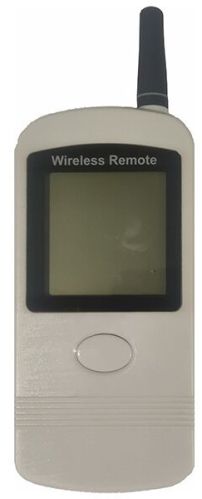
The CIU8.B-2-1 user display is designed to display the credentials from the electricity meter, to which it is informationally linked, but can be located at some distance from the metering device, in a convenient place for the user. The display is used in cases when the meter is installed in a hard-to-reach place and it is impossible to read the information from the meter display directly (for example, if the meter is installed on a power line pole). Transmission of information from the metering device to the display is carried out directly, without the use of the UDPD, via the Wireless M-Bus radio channel.
Specifications
Supply voltage - 3 V· Radio transmitter carrier frequency - 868.95 MHz· The peak power of the radio transmitter is not more than 10 mW· Backlit LCD Display· Sheath protection - IP 40· Data refresh interval - from 10 s · Dimensions: (160x63x18) mm· Weight not more than 0.12 kg
Battery Installation and Replacement
Before use, the batteries must be placed in the compartment located on the back of the display. The compartment is covered by a battery cover (pos. 1, fig. 1), which keeps the batteries inside the case during operation.
To install the batteries, press the oval notch on the battery cover (pos. 2, fig. 1), slide the cover down until it stops, and then pull the cover towards you and remove it.
Next, you can install the batteries according to the polarity indicated on the bottom of the battery compartment (Fig. 2) and close them with the lid, first inserting the cover into place, as shown in Figure 1 and then pushing it back into place.
Attention! Use only alkaline batteries, because when using cheap salt (carbon-zinc) batteries, in addition to the need to replace them frequently, in case of deep discharge, it is possible to break the seal of the batteries and leak the electrolyte, which can lead to irreversible damage to the display.



Connect with us





 For Buyer
  For Seller
  Help
Help 

 Satpur Midc, Nashik, Maharashtra
 Send Enquiry