
Company Information
 Member Since 14 Years
 Nature of Business Manufacturer Year of Establishment 1997
Ask for more detail from the seller
Contact Supplier
The Sensormatic Zebra Handheld Deactivator is designed to attach to Zebra?s MT2070 or DS6878 scanners for an all-in-one mobile scanner/deactivation solution. After scanning merchandise, the deactivator emits a visual and an audible signal to confirm successful AM label deactivation.The mobility feature allows cashiers to scan and deactivate heavy, bulky merchandise in the shopping cart to help improve checkout throughput, reduce nuisance EAS alarms at the door, and minimize heavy-lifting rela
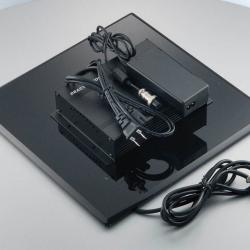
Features:Portable, pad type deactivator unit allows for extremely fast & easy deactivation of RF labels & tags at point of sale. Barcode scanners (with EAS functionality) are also available that can scan, read & de-activate labels.
Technical SpecificationPortable, pad type deactivator unit allows for extremely fast & easy deactivation of RF labels & tags at point of sale. Barcode scanners (with EAS functionality) are also available that can scan, read & d



Connect with us





 For Buyer
  For Seller
  Help
Help 

 Dwarka, Delhi
 Send Enquiry