

Company Information
 Member Since 7 Years
 Nature of Business Supplier Year of Establishment 1989
Ask for more detail from the seller
Contact Supplier
1.10 Resource Management Platform
1. On-line Share
1) Quick classification on the resource by hot, latest, hits.
2) The resources can be navigated according to school, subject, grade, lecturer, key video, micro-course.
3) Possible setting of navigation by various classifications for display of resource.
4) Overall searching, fuzzy query or group query according to key words of school, subject, title, lecturer, etc.
5) Users can learn through various mobile terminals by login the platform whenever and wherever possible; break the limit of time and space.
2. Image Behavior Analysis
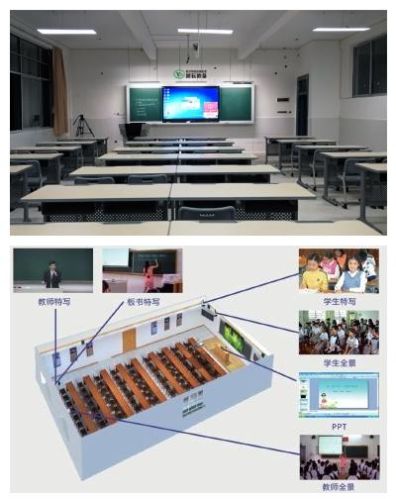
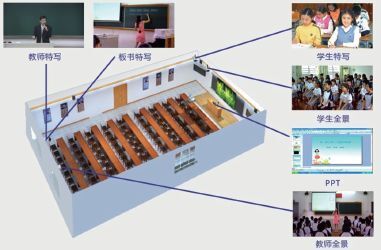
During course recording, besides obtaining the course video resource, data of S-T teaching behavior line graphs and pie graphs are created, proportion of course time of teacher and students during the class, proportion of teacher writing and PPT, it is convenient for a teacher to make reference to the above mentioned objective data and make a horizontal self-comparison, learn from excellent teachers, providing powerful resources for teaching and research later on.
3. Play on three-split screens
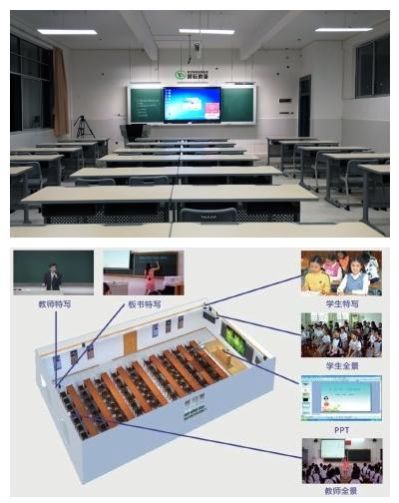
On the basis of playing normal single video course, the system provides 3-split courseware for online learning, which consists of teacher video, students video and teaching file video. Because the 3-split courseware is that the teacher video conforms to the PowerPoint presentation, the teaching effect is very close to live class.
4. Virtual Slices, Fabrication of Micro-course
Provide the function of editing and virtual slice of the online video online courseware, divide excellent course resources into 3-5 minutes video according to knowledge points or titles. Knowledge points video are organized by subjects, grades and progress, provide students convenient and targeted programs while using network video resources for study.
Also you can use the professional micro-course recording tools to make small video and send it to the platform for study.
5. Streaming Live Broadcast
The system can broadcast the video, audio and computer screen from the scene, users do not need to install any plug-ins and watch the live video broadcast from browser or Wechat platform. During the broadcasting, users can interact online like QQ mode, and ask questions about different things, comment or online scoring. After broadcasting, the live content can be saved to the teacher’s personal space automatically, it is convenient for the teacher to manage and post.



Connect with us





 For Buyer
  For Seller
  Help
Help 

 Foshan
 Send Enquiry