
Company Information
 Member Since 13 Years
 Nature of Business Retailer
Ask for more detail from the seller
Contact Supplier
Specifications
All types of wires, cables, usb extension cables, power cords, extension cords, HDMI switches, cable clips are available
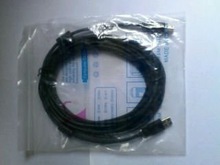
Printer cable refers to the cable that carries data between a computer and a printer.
There are many different types of cables, for example:
Parallel port printers have been slowly phased out, and are now difficult to find for the most part, being considered as an obsolete legacy port on most new computers.
Those who have printers and scanners with only parallel port may still be able to connect the devices via the use of USB adapters a.k.a. Parallel-to-USB cable. Generally, FireWire's very high speeds of up to 800 Mbit/s are excessive for printers.
USB 2.0 cable connects PCs or laptops to USB peripherals such as printers and scanners.
The A-male to B-male connectors ensure a great signal transfer.



Connect with us





 For Buyer
  For Seller
  Help
Help 
 Sector 22, Noida, Uttar Pradesh
  Send Enquiry