


Company Information
 Member Since 1 Year
 Nature of Business Service Provider
 GST No. 07AAECC4926A1Z3
Ask for more detail from the seller
Contact Supplier
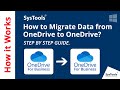
The SysTools OneDrive for Business Migration Tool is an advanced data migration utility designed to seamlessly transfer files, folders, and documents between OneDrive accounts. It supports high-volume migration for enterprises, allowing administrators to move data from OneDrive to OneDrive (Same or Different Domain) using a secure, modern authentication process.
Key Features & Specifications:
Modern Authentication: Unlike older tools, this software eliminates the need for Admin Impersonation. It uses Azure Active Directory (OAuth 2.0) app registration, ensuring a secure connection without sharing direct user passwords.
Concurrent Migration: Supports batch processing to migrate multiple user accounts simultaneously, significantly reducing downtime for large organizations.
Cross-Platform Support: Available for Windows (Windows 11, 10, Server 2012/2016) and Linux (Ubuntu 18.04 LTS).
Migration Scenarios:
OneDrive (Personal) to OneDrive (Personal)
OneDrive (Personal) to OneDrive for Business
OneDrive for Business to OneDrive (Personal)
OneDrive for Business to OneDrive for Business (Tenant to Tenant)
Delta Migration: Features a "Delta" mode to transfer only newly arrived or modified files after the initial migration, preventing data duplication.
Granular Filtering:
Date Filter: Migrate data only within a specific "From" and "To" date range.
Permissions: Option to migrate document access rights (Read/Write permissions) along with the files.
Reporting: Generates two types of CSV reports—Summary Report (overall status) and Detailed Report (individual file status for every user).
Licensing Model:
Quota Based: The tool is licensed per user account migrated. (e.g., The "5 User" pack allows you to migrate 5 distinct source accounts).
Re-Run Policy: Licenses are consumed per source-destination pair. Re-runs (Delta/Retry) on the same pair generally do not consume additional licenses.



Connect with us





 For Buyer
  For Seller
  Help
Help 

 Dwarka Sector 12, Delhi
 Send Enquiry